When a tablet screen cracks, one of the first questions most owners ask is: how much will it cost to repair, and is fixing the device worth the money? A tablet may still turn on and respond to touch after an accident, but visible screen damage can make everyday use uncomfortable and create additional problems over time.
Whether you use an iPad, Samsung Galaxy Tab, Microsoft Surface, or another tablet, the repair cost depends on the device model, type of screen damage, replacement parts, and overall condition.
A small crack may require a different repair approach than a completely damaged display with black spots, flickering, or touchscreen problems. Understanding these differences can help you avoid spending money on the wrong solution.
For customers looking for tablet screen repair in Bradenton, Lakewood Ranch, Sarasota, and surrounding areas, comparing repair costs with the value of the device is an important first step.
At Computers Repair Plus, customers can get help understanding tablet problems and available repair options based on the condition of their device.
If your tablet has a cracked or damaged display, contact Computers Repair Plus or call (941) 567-6431 to discuss your repair options.
How Much Does Tablet Screen Repair Cost?
There is no single price for every tablet screen repair. The final cost depends on the device and the type of damage.
Some tablets have relatively straightforward screen assemblies, while others use integrated display components that can make replacement more complicated.
Several factors influence the total repair cost.
Tablet Brand and Model
Different manufacturers use different display technologies and replacement components.
For example, repair costs may vary between:
- Apple iPad models
- Samsung Galaxy Tab devices
- Microsoft Surface tablets
- Lenovo tablets
- Amazon Fire tablets
Even within the same brand, newer and older models can have different parts availability and repair requirements.
A newer tablet may use a more advanced display assembly, while an older model may have limited replacement part availability.
Type of Screen Damage
The severity of the damage also affects repair costs.
Common examples include:
- Small cracks across the front glass
- Completely shattered screens
- Unresponsive touchscreen areas
- Black spots or display discoloration
- Flickering or distorted images
- Screens that remain completely black
A tablet that still displays images but has damaged glass may require a different repair approach from one with a completely failed display.
Replacement Parts and Labor
The replacement screen is only one part of the repair process.
The total cost may also include labor, device disassembly, testing, and additional components if other damage is discovered.
Some tablets are more difficult to open because their displays are secured with strong adhesives or integrated components. This can increase the time and complexity involved in the repair.
For an accurate estimate, the tablet should be evaluated based on its exact model and condition.
What Types of Tablet Screen Damage Need Repair?
Not every damaged screen looks the same. Understanding the type of problem can help you determine whether professional repair is necessary.
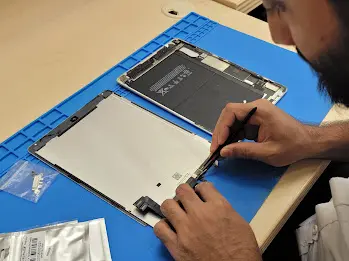
Cracked or Shattered Glass
A tablet can develop cracks after being dropped on a hard surface or experiencing pressure inside a bag.
Even when the display still works, broken glass can create several concerns:
- Sharp edges can affect safe handling.
- Cracks may spread with additional pressure.
- Small glass fragments may become loose.
- Normal tapping and swiping may become uncomfortable.
A screen protector may help reduce additional surface damage in some situations, but it cannot repair an existing crack.
Touchscreen Not Responding
Sometimes the tablet displays everything normally, but certain areas no longer respond to touch.
You may notice:
- Difficulty typing
- Unresponsive areas
- Delayed touch response
- Random screen inputs
- Problems using certain applications
These symptoms can indicate damage to the touchscreen digitizer or display assembly.
Black Spots, Lines, or Flickering
If your tablet has black spots, colored lines, or a flickering display after being dropped, the internal display components may be damaged.
These problems can become more noticeable over time and may interfere with reading, watching videos, or using applications.
A proper inspection can help determine whether the display needs replacement or whether another component is involved.
Is It Worth Repairing a Cracked Tablet Screen?
In many situations, repairing a tablet screen can be more practical than purchasing a new device. However, the decision depends on more than the condition of the glass.
Before choosing a repair, consider the following factors.
The Age of Your Tablet
A relatively new tablet that still performs well may be worth repairing.
If the processor, battery, storage, and other features continue meeting your needs, replacing the screen may help extend its useful life.
Older tablets require more careful consideration, especially if they no longer receive software updates or struggle with everyday applications.
The Overall Condition of the Device
Screen damage may not be the only problem.
Before approving a repair, consider whether the tablet also has:
- Poor battery performance
- Charging problems
- Damaged buttons
- Wi-Fi connectivity issues
- Internal hardware problems
If several major components are failing, investing in a screen replacement may not be the most practical choice.
The Importance of Your Data
Many tablets contain important personal and professional information.
This may include:
- Family photos and videos
- Work documents
- School assignments
- Business applications
- Saved accounts and personal information
If your tablet contains important data, repairing the existing device may help you continue using it without transferring everything to a new one.
However, always consider backing up your information before repair whenever the device is still accessible.
Tablet Screen Repair vs Buying a New Tablet
One of the biggest decisions tablet owners face is whether to repair the damaged device or replace it completely.
Both options have advantages depending on your situation.
When Screen Repair Makes Sense
Repair may be a practical choice when:
- The tablet is relatively new.
- The device works properly apart from the screen.
- Battery life is still acceptable.
- You want to avoid the expense of buying another tablet.
- Your current device meets your everyday requirements.
In these situations, replacing the damaged screen may help you continue using a familiar device.
When Buying a New Tablet May Be Better
Replacement may make more sense when:
- The tablet has multiple hardware problems.
- The battery no longer holds a charge.
- The device is very old.
- Replacement parts are difficult to find.
- The total repair cost is close to the price of a suitable replacement.
The best decision comes from comparing the repair estimate with the cost and benefits of purchasing another device.
Why Professional Tablet Screen Diagnosis Matters
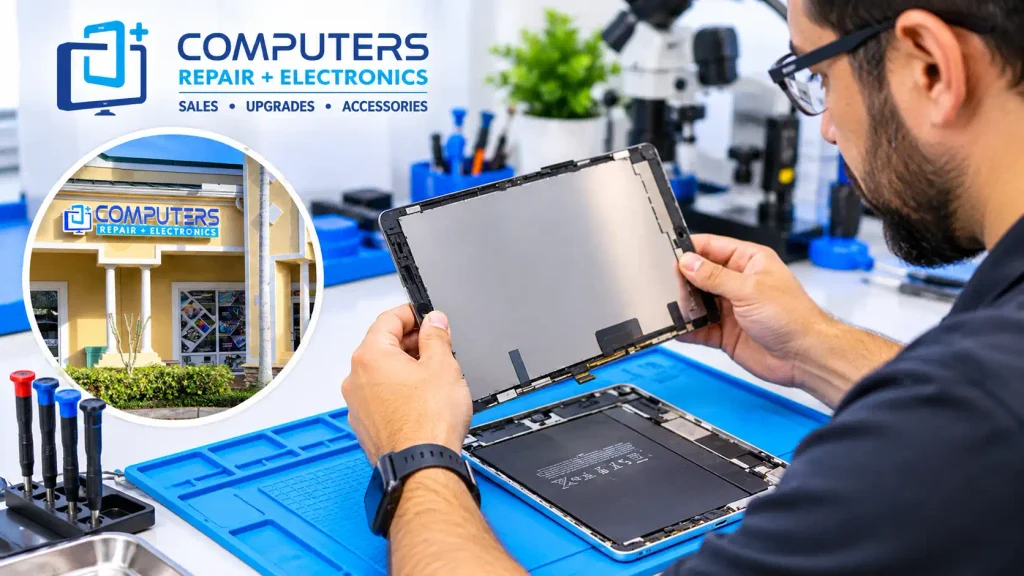
A cracked screen does not always mean that only the glass is damaged.
A tablet may have internal problems caused by the same impact that broke the display.
For example, a device that falls onto a hard floor may experience:
- Display assembly damage
- Loose internal connections
- Frame deformation
- Battery-related damage
- Charging or power issues
Professional diagnosis helps identify the actual condition of the device before repair begins.
A technician may check the display, touchscreen response, physical frame, charging functionality, and other important features.
This process helps determine whether screen replacement is appropriate or whether additional repairs may be necessary.
For customers searching for tablet repair in Bradenton, having the complete condition of the device evaluated can help avoid unnecessary repairs.
What to Do Before Bringing Your Tablet for Screen Repair
Taking a few precautions before visiting a repair shop can make the process easier.
Back Up Important Information
If your tablet is still working, create a backup before bringing it in.
Depending on your device, you may be able to use iCloud, Google Drive, or another available backup option.
Make sure important photos, contacts, documents, and other files are protected.
Avoid Applying Pressure to the Damaged Screen
Do not press down on cracked areas or attempt to push broken glass back into place.
Additional pressure may worsen the damage or affect the touchscreen.
Check the Device Model
Knowing your tablet’s exact model can help identify the correct replacement parts.
You can usually find model information in the device settings or on the original packaging. If the screen is too damaged to access settings, other identification methods may be available depending on the manufacturer.
Avoid DIY Screen Replacement Without Proper Experience
Tablet displays can be difficult to remove because of adhesives, delicate internal connections, and closely fitted components.
Attempting a repair without the appropriate tools and experience may create additional damage.
Finding Reliable Tablet Screen Repair in Bradenton, FL
When choosing a tablet repair provider, price should not be the only consideration.
A useful repair experience should include a clear explanation of the damage, available repair options, and an estimate based on the actual device condition.
Look for a repair provider that can explain:
- Whether the screen can be replaced
- Which replacement components are needed
- Whether additional damage is present
- How long the repair may take
- What warranty or support is available
Computers Repair Plus provides phone and tablet repair services along with computer and electronics repair.
Located at 1829 Lakewood Ranch Blvd, Bradenton, FL 34211, the business serves customers in Bradenton, Lakewood Ranch, Sarasota, and surrounding communities.
For tablet repair questions, you can contact the team or call (941) 567-6431 to discuss your device and available options.
Frequently Asked Questions
How much does it cost to repair a cracked tablet screen?
The cost depends on the tablet brand, model, type of screen damage, replacement parts, and labor. An accurate estimate requires evaluating the specific device.
Is it worth replacing a tablet screen?
Screen replacement may be worthwhile if the tablet is relatively new, works properly, and has no other major hardware problems. Comparing the repair estimate with replacement costs can help you decide.
Can a tablet screen be repaired if the touchscreen stops working?
Yes, depending on the damage and device model. An unresponsive touchscreen may require replacement of the digitizer or complete display assembly.
Can I use my tablet with a cracked screen?
You may still be able to use it, but broken glass, touchscreen problems, and additional damage can make continued use unsafe or inconvenient. Professional evaluation is recommended.
How long does tablet screen replacement take?
Repair time depends on the tablet model, replacement part availability, and complexity of the damage. Some repairs may be completed quickly, while others require additional time.
Do I need an appointment for tablet repair at Computers Repair Plus?
Computers Repair Plus welcomes walk-ins for device drop-off and pickup during store hours. You can also call (941) 567-6431 to discuss your tablet before visiting.