Samsung smartphones are used for communication, work, entertainment, photography, banking, and many other everyday activities. When a Samsung phone suddenly stops working properly, even a small issue can become frustrating.
Some problems are easy to recognize, such as a cracked screen or a battery that drains quickly. Others may be more difficult to identify, including charging failures, overheating, software problems, or unexpected shutdowns.
Whether you own a Samsung Galaxy S series, Galaxy A series, Galaxy Z Fold, or Galaxy Z Flip, understanding common phone problems can help you decide when troubleshooting is enough and when professional repair may be necessary.
The type of repair depends on the phone model, the symptoms, and the condition of its internal components. Addressing a problem early may also help prevent additional complications.
For customers looking for Samsung phone repair in Bradenton, Lakewood Ranch, Sarasota, and surrounding areas, understanding the available repair options can make it easier to choose the right solution.
At Computers Repair Plus, customers can get help understanding phone problems and available repair options based on the condition of their devices.
If your Samsung phone is damaged or not working correctly, contact Computers Repair Plus or call (941) 567-6431 to discuss your repair options.
What Are the Most Common Samsung Phone Problems?
Samsung smartphones contain several interconnected hardware and software components. A problem with one component can sometimes affect other functions.
Some of the most common issues include:
- Cracked or unresponsive screens
- Battery draining too quickly
- Charging problems
- Overheating
- Camera malfunctions
- Software freezing
- Unexpected shutdowns
- Speaker and microphone problems
The correct solution depends on what is causing the problem. A phone that refuses to charge, for example, may have a damaged cable, charging port, battery, or internal power-related issue.
A proper evaluation helps identify the actual cause instead of relying only on symptoms.
Samsung Screen Damage and Display Problems
Screen damage is one of the most common reasons people look for Samsung phone repair.
A Samsung phone can develop display problems after being dropped, exposed to pressure, or accidentally struck against a hard surface.
Cracked or Shattered Screen
A cracked Samsung screen can affect both appearance and everyday usability.
Common signs include:
- Visible cracks across the display
- Spiderweb patterns
- Broken glass around the edges
- Sharp areas on the screen
- Display separation
Even when the phone still responds to touch, broken glass can become uncomfortable or unsafe to handle.
Black Spots and Display Lines
Some Samsung phones develop black spots, colored lines, flickering, or discoloration after physical damage.
These symptoms may indicate that the display panel has been affected rather than just the outer glass.
In many cases, replacing the appropriate display components may be necessary.
Touchscreen Not Responding
If parts of your Samsung screen stop responding, everyday activities such as typing, opening applications, and answering calls can become difficult.
Touchscreen problems may result from:
- Physical screen damage
- Display assembly problems
- Software issues
- Internal connection problems
A technician can evaluate the device to determine whether the issue requires screen replacement or another repair approach.
Samsung Battery Draining Too Fast
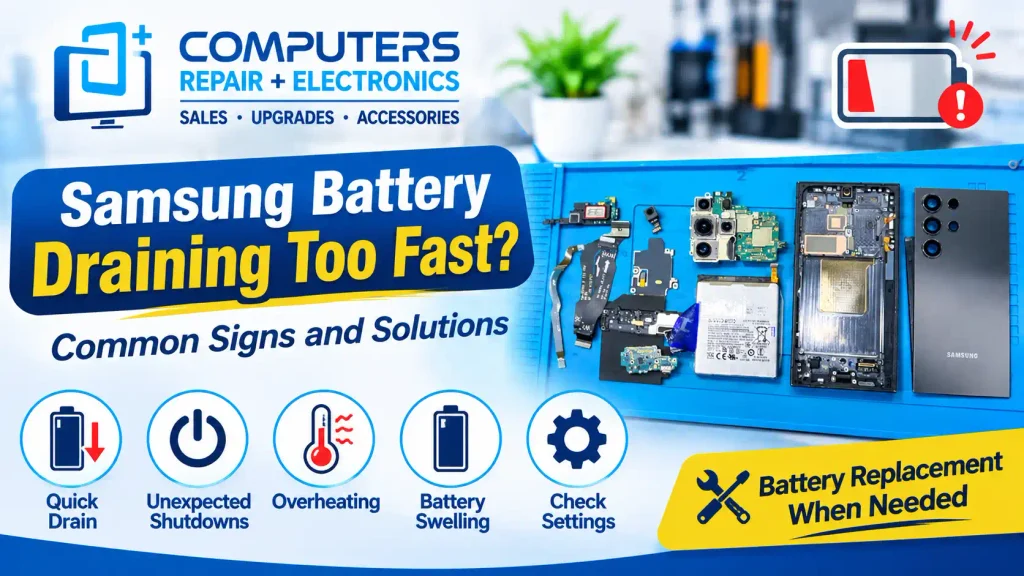
Battery problems can make a Samsung phone difficult to use throughout the day.
A device that previously lasted many hours may suddenly require frequent charging.
Common Signs of Battery Problems
Watch for these symptoms:
- Battery percentage dropping quickly
- Phone shutting down unexpectedly
- Battery draining while idle
- Device becoming unusually warm
- Battery swelling or physical separation
Battery performance can also be affected by background applications, screen brightness, software updates, and poor network conditions.
Before assuming the battery needs replacement, review your phone’s battery usage settings and check which applications consume the most power.
When Does a Samsung Battery Need Replacement?
If your phone continues experiencing poor battery performance after basic troubleshooting, the battery may need professional evaluation.
A replacement may be worth considering when the battery no longer holds a charge properly or the device shuts down unexpectedly despite having remaining battery power.
If you notice battery swelling, stop using and charging the device. Do not press, puncture, or attempt to remove a swollen battery yourself.
Samsung Phone Charging Problems
Charging problems can happen for several reasons. Sometimes the issue is related to the charging cable or adapter, while other situations involve the phone itself.
Common symptoms include:
- Phone not charging at all
- Slow charging
- Charging disconnecting repeatedly
- USB connection warnings
- Charging port feeling loose
Check the Charging Cable and Adapter
Start by checking whether the cable or adapter is damaged.
If possible, test your Samsung phone with a compatible charger and cable that are known to work.
Avoid using damaged charging accessories because they may create additional problems.
Inspect the Charging Port
Dust, lint, or physical damage inside the charging port can interfere with the connection.
Avoid inserting sharp objects into the port or applying excessive pressure.
If cleaning does not resolve the issue, the charging port or another internal component may require inspection.
For customers experiencing persistent charging problems, professional diagnosis can help determine whether the issue involves the port, battery, or internal power system.
Samsung Phone Overheating
A Samsung phone may become warm during demanding activities such as gaming, video recording, navigation, or charging.
However, overheating during normal use can indicate a problem that deserves attention.
Possible causes include:
- Resource-intensive applications
- Background processes
- Battery problems
- Software issues
- Charging-related faults
- Internal hardware damage
How to Reduce Overheating
You can try several basic steps:
- Close applications running unnecessarily in the background.
- Reduce screen brightness.
- Avoid using demanding applications while charging.
- Keep your phone away from direct sunlight.
- Install available software updates.
- Remove a case temporarily if it traps excessive heat.
If overheating continues, especially when the phone is idle, professional evaluation may help identify an underlying hardware or software problem.
Samsung Camera, Speaker, and Microphone Problems
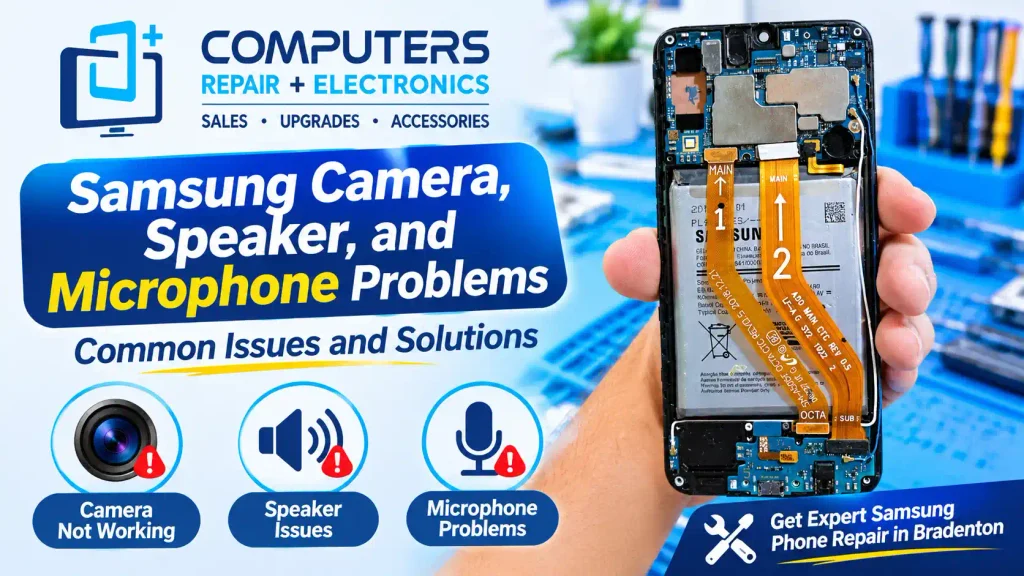
Samsung phones are often used for photography, video calls, online meetings, and everyday communication.
Problems with cameras, speakers, or microphones can interfere with these activities.
Camera Not Working Properly
Common camera symptoms include:
- Blurry images
- Camera application freezing
- Black camera previews
- Focus problems
- Camera not opening
Try restarting the phone and checking whether the camera application has available updates.
If the problem continues, the camera hardware or internal connections may need inspection.
Speaker and Microphone Issues
Speaker problems may cause low volume, distorted audio, or no sound during calls and media playback.
Microphone issues can make it difficult for other people to hear you during phone calls or recordings.
Possible causes include blocked openings, software settings, moisture exposure, or damaged internal components.
Checking the audio settings and testing different applications can help narrow down the problem.
Samsung Software Problems and Unexpected Shutdowns
Not every Samsung phone problem requires hardware replacement.
Software issues can sometimes cause freezing, slow performance, application crashes, and unexpected restarts.
Common warning signs include:
- Applications closing unexpectedly
- Phone freezing during normal use
- Slow response when opening applications
- Repeated restart cycles
- Problems after a software update
Basic Troubleshooting Steps
Before considering repair, try these steps:
- Restart your Samsung phone.
- Check for available software updates.
- Remove applications you no longer use.
- Review available storage space.
- Check whether a specific application is causing the problem.
If your phone continues restarting or freezing, the issue may require more detailed troubleshooting.
Avoid performing a factory reset without backing up important information because this process can erase personal data.
Samsung Phone Repair vs Buying a New Phone
When a Samsung phone develops a major problem, replacing the device is not always necessary.
In many situations, repairing an existing phone may be a practical option.
When Repair Makes Sense
Repair may be worthwhile when:
- The phone is relatively new.
- The damage is limited to one component.
- The device still meets your everyday needs.
- Battery or screen problems are the main concern.
- Repair is more practical than purchasing another device.
When Replacement May Be Better
Buying another phone may make more sense when:
- Multiple major components have failed.
- The device is very old.
- Replacement parts are difficult to find.
- Repair costs approach the price of a suitable replacement.
- The phone no longer supports your needs.
The best decision depends on the overall condition of the phone, the estimated repair cost, and how long you expect to continue using it.
Finding Reliable Samsung Phone Repair in Bradenton, FL
Choosing a repair provider involves more than finding the lowest advertised price.
A good repair experience should include a clear explanation of the problem, available repair options, and an estimate based on the actual condition of the phone.
Before choosing a repair service, consider whether the provider can explain:
- What is causing the problem
- Which components may need attention
- Whether repair or replacement makes more sense
- Whether additional damage has been identified
- What warranty or support is available
Computers Repair Plus offers phone and tablet repair services alongside computer and electronics repair.
Located at 1829 Lakewood Ranch Blvd, Bradenton, FL 34211, the business serves customers in Bradenton, Lakewood Ranch, Sarasota, and nearby communities.
If your Samsung phone has a damaged screen, battery problem, charging issue, or another hardware concern, you can contact Computers Repair Plus or call (941) 567-6431 to discuss your device and available repair options.
Frequently Asked Questions
How much does Samsung phone repair cost in Bradenton?
The cost depends on the Samsung model, type of damage, replacement components, and labor required. A device evaluation is necessary to provide an accurate estimate.
Can a Samsung phone be repaired if the screen is completely black?
In many situations, yes. A black screen may indicate display damage, connection problems, or another hardware issue. Professional diagnosis can help identify the cause.
Why is my Samsung phone battery draining so quickly?
Battery drain can result from battery aging, background applications, high screen brightness, software issues, or poor network conditions. Persistent problems may require battery evaluation.
Is it worth repairing an older Samsung phone?
It depends on the phone’s age, overall condition, performance, and repair cost. If the device still meets your needs and has one repairable problem, fixing it may be practical.
Why is my Samsung phone not charging?
Possible causes include a faulty charging cable, damaged adapter, blocked charging port, battery problem, or internal power-related issue. Testing the accessories and inspecting the device can help identify the cause.
Where can I get Samsung phone repair in Bradenton, FL?
Customers in Bradenton and nearby communities can contact Computers Repair Plus at (941) 567-6431 to discuss phone and tablet repair options and arrange a device evaluation.