When a hard drive suddenly stops working, one of the biggest concerns is losing important files. Whether the drive contains business documents, family photos, financial records, or personal projects, losing access to that information can be stressful.
Many people assume that a failed hard drive means their files are permanently gone. However, that is not always true. Depending on the type of failure, the condition of the storage device, and how much damage has occurred, hard drive data recovery may still be possible.
The most important thing is to avoid actions that could make the situation worse. Repeatedly trying to start a failing drive or running random recovery software can sometimes reduce the chances of retrieving important information.
For customers searching for hard drive data recovery Bradenton, understanding the warning signs and available recovery options can help protect valuable data.
At Computers Repair Plus, customers in Bradenton, Lakewood Ranch, Sarasota, and surrounding communities can get assistance with data recovery and backup solutions for computers and other storage devices.
If your hard drive has stopped working, contact Computers Repair Plus or call (941) 567-6431 to discuss your situation.
Can a Failed Hard Drive Actually Be Recovered?
Yes, data recovery may be possible even when a hard drive is no longer functioning normally. However, success depends on the type of failure and the condition of the storage device.
A hard drive can experience different problems, including:
- File system corruption
- Accidental file deletion
- Damaged storage sectors
- Mechanical component failure
- Electrical problems
- Physical damage
Some problems affect how the computer accesses stored information without completely destroying the data.
For example, a corrupted operating system may prevent a computer from starting even though personal files are still stored on the drive.
In other situations, mechanical damage may prevent the drive from operating properly and require specialized recovery methods.
A professional evaluation helps determine whether recovery is practical and which approach may be appropriate.
Common Signs of a Failing Hard Drive
Recognizing early warning signs can help you take action before the problem becomes more serious.
Unusual Clicking or Grinding Sounds
Traditional hard disk drives contain moving mechanical components.
If you hear repeated clicking, grinding, or unusual noises, the drive may have a mechanical problem.
These sounds should not be ignored. Continuing to operate a mechanically damaged drive can cause additional damage to its internal components.
Computer Is Extremely Slow
A computer that suddenly becomes unusually slow may have a storage-related problem.
Possible symptoms include:
- Very slow startup
- Applications taking longer to open
- Frequent freezing
- Files taking too long to load
- Unexpected system errors
Although these symptoms can have other causes, they may indicate a failing storage device.
Missing or Inaccessible Files
If documents, photos, or folders suddenly disappear or cannot be opened, the problem may involve file system corruption or storage failure.
Sometimes the files still exist on the drive but the operating system cannot access them correctly.
Avoid formatting the drive or attempting repeated repairs before understanding what caused the problem.
Hard Drive Not Detected
Another warning sign is when the computer no longer recognizes the storage device.
This can happen because of:
- Damaged connections
- Controller problems
- Electrical failure
- Firmware issues
- Internal hardware damage
A drive that is not detected does not automatically mean the stored information is unrecoverable.
What Causes Hard Drive Failure?
Understanding common causes of drive failure can help explain why recovery results vary.
Mechanical Wear and Tear
Traditional HDDs use spinning platters and moving read/write heads to store and access information.
Over time, these components can wear out or fail.
Older drives and heavily used storage devices may become more vulnerable to mechanical problems.
Physical Damage
Dropping a laptop or external hard drive can damage sensitive internal components.
Even when the outside of the device looks normal, the internal storage mechanism may have been affected.
Physical damage can make recovery more complicated.
Electrical Problems
Power interruptions, electrical surges, or damaged power components can affect a hard drive.
In some situations, the drive may stop responding because its electronic components are no longer functioning correctly.
File System Corruption
Not every storage failure involves physical damage.
Unexpected shutdowns, software problems, interrupted updates, or improper disconnection can sometimes corrupt the file system.
This may prevent access to files even when the storage hardware is still functioning.
What Should You Do When Your Hard Drive Fails?
Your actions immediately after discovering a hard drive problem can affect the chances of recovering your information.
Here are some important steps to follow.
1. Stop Using the Drive
If you suspect mechanical failure, stop using the drive immediately.
Avoid repeatedly restarting the computer or attempting to access the same files.
Additional activity may increase damage, particularly when the drive is physically failing.
2. Do Not Format the Drive
If your computer asks you to format an inaccessible drive, do not automatically accept.
Formatting can make data recovery more difficult, especially if new information is written to the storage device.
3. Avoid Random Recovery Software
Some software tools can help with logical data loss, but they are not appropriate for every situation.
Running recovery software on a mechanically damaged drive may increase the risk of further problems.
It is better to understand the type of failure before choosing a recovery method.
4. Get the Drive Professionally Evaluated
A proper evaluation helps determine whether the problem is related to software, file system corruption, electronics, or mechanical components.
For customers looking for Data Recovery and Backup Services, Computers Repair Plus can help assess storage problems and available recovery options.
HDD vs SSD: Does the Type of Drive Matter?
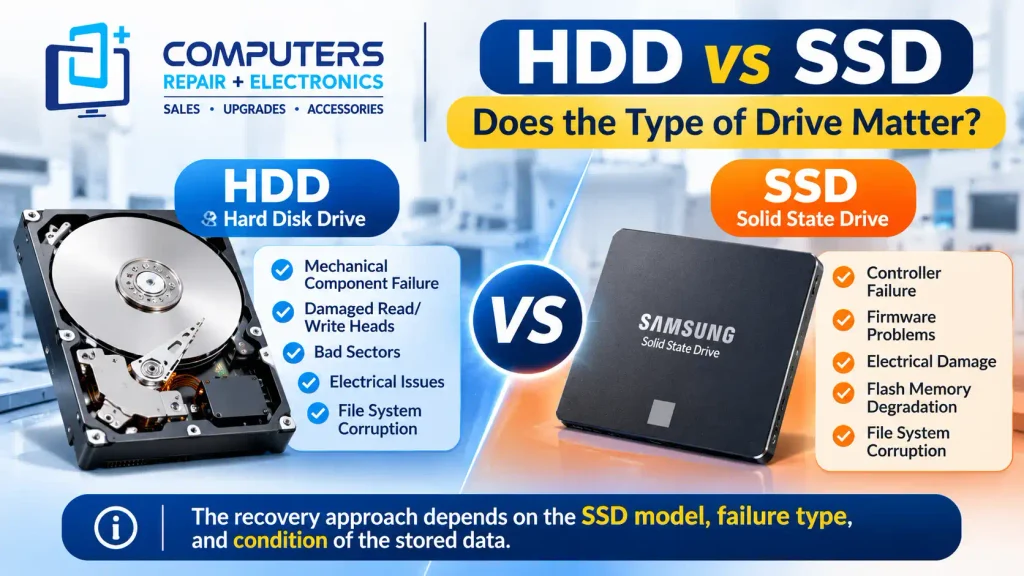
Yes. Traditional hard disk drives and solid-state drives use different storage technologies, which affects how recovery is approached.
Hard Disk Drive (HDD)
An HDD stores information on magnetic spinning platters.
Common problems include:
- Mechanical component failure
- Damaged read/write heads
- Bad sectors
- Electrical issues
- File system corruption
Mechanical failures may require specialized equipment and recovery procedures.
Solid-State Drive (SSD)
An SSD stores information using flash memory rather than spinning mechanical components.
Although SSDs have no moving parts, they can still experience:
- Controller failure
- Firmware problems
- Electrical damage
- Flash memory degradation
- File system corruption
SSD recovery can be challenging because of how data is managed internally, including features such as TRIM and wear leveling.
The recovery approach depends on the SSD model, failure type, and condition of the stored data.
Can Data Be Recovered From a Completely Dead Computer?
Sometimes, yes.
A computer that will not turn on does not necessarily have a failed storage device.
The actual problem may involve:
- A damaged motherboard
- Battery failure
- Power supply problems
- Operating system corruption
- Internal connection issues
If the storage device remains accessible, important files may be recoverable even when the computer itself cannot start.
Computers Repair Plus provides data recovery assistance for laptops, PCs, SSDs, RAID drives, USB flash drives, and memory cards.
The service also covers different operating systems, including Windows, macOS, Linux, Android, and server operating systems.
You can learn more about available options through the Data Recovery and Backup service page.
Why Professional Data Recovery Matters
Trying to recover important information without understanding the failure can sometimes create additional problems.
A professional assessment helps identify:
- Whether the drive has physical or logical damage
- Whether the storage device is still accessible
- Which recovery options may be available
- Whether additional specialized recovery is necessary
- How recovered files can be backed up safely
It is also important to understand that no recovery provider can guarantee every file will be recovered. Severely damaged storage devices may have limited recovery possibilities.
The goal is to choose an appropriate recovery approach based on the actual condition of the drive.
How to Protect Your Data From Future Hard Drive Failure
Recovering lost information can be difficult, which makes regular backups especially important.
Consider these practical steps:
- Keep a backup of important files on an external drive.
- Use a reliable cloud backup solution.
- Avoid disconnecting external drives while files are being transferred.
- Protect laptops and external drives from physical impacts.
- Monitor unusual noises and storage-related errors.
- Replace aging storage devices when necessary.
For businesses, maintaining regular backups is especially important because losing customer records, financial information, and operational documents can interrupt daily activities.
Computers Repair Plus also provides backup solutions to help customers protect important information after recovery.
Where to Get Hard Drive Data Recovery in Bradenton
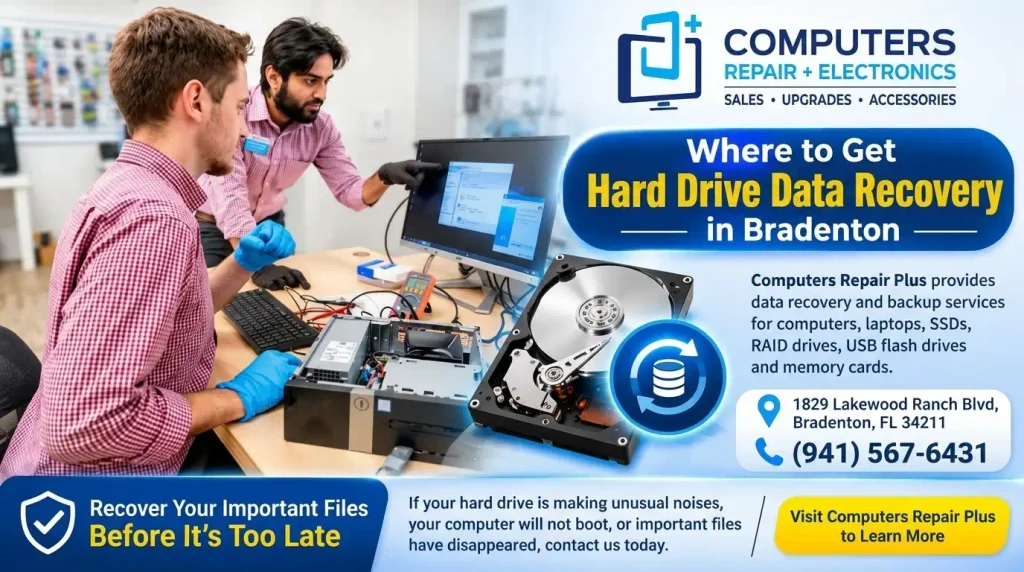
When important files become inaccessible, finding the right technical support is essential.
Computers Repair Plus provides data recovery and backup services for individuals and businesses in Bradenton, Lakewood Ranch, Sarasota, and nearby communities.
The service can help with storage-related problems involving computers, laptops, SSDs, RAID drives, USB flash drives, and memory cards.
Business: Computers Repair Plus
Address: 1829 Lakewood Ranch Blvd, Bradenton, FL 34211
Phone: (941) 567-6431
If your hard drive is making unusual noises, your computer will not boot, or important files have disappeared, contact the team before attempting further recovery steps.
Visit Computers Repair Plus to learn more about available services and discuss your data recovery needs.
Frequently Asked Questions
Can data be recovered from a completely failed hard drive?
Sometimes. Recovery depends on the type and extent of damage. Some drives have recoverable data even when they cannot operate normally.
Can I recover files from a clicking hard drive?
Possibly, but clicking may indicate mechanical damage. Stop using the drive and seek professional evaluation rather than repeatedly trying to access it.
Is data recovery possible from an SSD?
Yes, depending on the SSD’s condition, controller, firmware, and type of failure. However, some SSD failures can make recovery difficult.
Can files be recovered from a hard drive that is not detected?
In some cases. The issue may involve the connection, electronics, firmware, or internal storage components. Diagnosis helps identify the cause.
Should I use recovery software on a failed hard drive?
Not always. Recovery software may help with certain logical problems, but it is not recommended for mechanically damaged drives. Incorrect use can make recovery more difficult.
Where can I get hard drive data recovery in Bradenton?
Computers Repair Plus offers data recovery and backup services at 1829 Lakewood Ranch Blvd, Bradenton, FL 34211. Call (941) 567-6431 to discuss your storage problem and available options.