When your phone suddenly stops charging, it can disrupt your entire day. You connect the charger, but the battery percentage stays the same, charging keeps disconnecting, or the phone shows no response at all.
A phone not charging does not always mean the battery is damaged. The problem could involve a faulty cable, charging port, software issue, or internal hardware component.
Understanding the possible causes can help you identify simple problems before paying for unnecessary repairs.
For customers in Bradenton, Lakewood Ranch, Sarasota, and surrounding areas, Computers Repair Plus provides phone repair services to help identify charging problems and available solutions.
If your phone is not charging properly, contact Computers Repair Plus or call (941) 567-6431 to discuss your repair options.
Why Is My Phone Not Charging Even When Plugged In?
A smartphone may stop charging because electricity is not reaching the battery correctly or the device cannot manage the charging process.
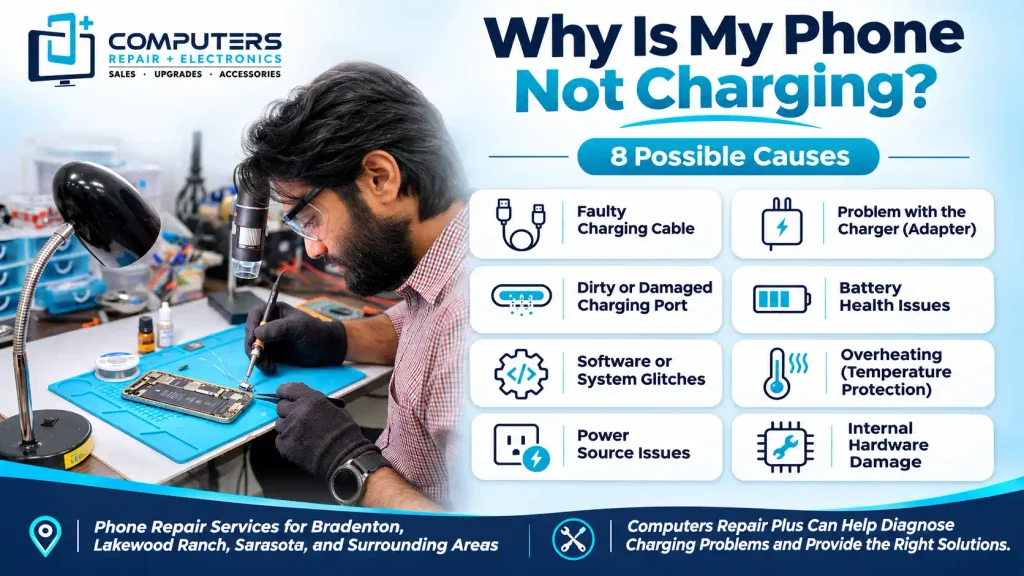
Common causes include:
- Damaged charging cables
- Faulty power adapters
- Dust inside the charging port
- Damaged charging connectors
- Battery deterioration
- Software glitches
- Overheating
- Water or moisture damage
The exact problem depends on your phone’s condition and symptoms.
Before assuming an expensive component has failed, try identifying whether the issue comes from the charger or the phone itself.
1. Damaged or Faulty Charging Cable
A damaged charging cable is one of the most common reasons a phone stops charging.
Charging cables experience frequent bending, pulling, and twisting. Over time, their internal wires or connectors can deteriorate.
Common signs include:
- Charging starts and stops repeatedly
- The phone charges only at certain angles
- The cable has visible damage
- Another cable works normally
What You Can Do:
Try a compatible charging cable that works with another device.
If your phone charges normally, the original cable may need replacement.
Avoid using cables with exposed wires or damaged connectors.
2. Faulty Power Adapter
Sometimes, the cable works properly, but the power adapter fails to deliver electricity.
A damaged adapter may cause slow charging, interrupted charging, or no charging response.
Before assuming your phone needs repair, test a compatible adapter.
You can also try a different working electrical outlet.
If another adapter solves the problem, replacing the faulty accessory may be all you need.
Stop using any adapter that overheats excessively, produces unusual smells, or shows visible damage.
3. Dirty or Blocked Charging Port
Dust, pocket lint, and debris can accumulate inside your phone’s charging port.
Over time, this buildup can prevent the charging connector from making proper contact.
You may notice:
- The cable does not fit securely
- Charging disconnects unexpectedly
- The connector feels blocked
- The phone charges intermittently
What You Can Do:
Inspect the charging port using a flashlight.
Avoid inserting metal objects, sharp tools, or liquids into the connector.
If debris appears firmly lodged inside, professional cleaning may be safer than attempting to remove it yourself.
4. Damaged Phone Charging Port
A damaged charging port can prevent your smartphone from receiving power even when the charging accessories work.
Repeated cable movement, accidental drops, or physical impact can damage the charging connector.
Common symptoms include:
- A loose charging connection
- Charging only when the cable is positioned differently
- Multiple working chargers failing
- Charging stopping when the phone moves
A damaged port may require professional repair or replacement.
For customers looking for phone charging port repair in Bradenton, Computers Repair Plus offers charging port and USB port repair services for supported mobile devices.
5. Battery Problems or Battery Deterioration
Smartphone batteries naturally lose capacity as they age.
Most modern smartphones use rechargeable lithium-ion batteries that gradually deteriorate through regular charging cycles.
A failing battery may cause:
- Rapid battery drain
- Unexpected shutdowns
- Difficulty maintaining a charge
- Unreliable battery percentage readings
However, battery deterioration does not automatically explain every charging problem.
A technician may need to check the charging port, battery, and power-related components before recommending replacement.
If the battery is swollen or the phone becomes dangerously hot, stop using and charging it immediately.
6. Software Glitches or Operating System Issues
Not every charging problem involves damaged hardware.
Software glitches can sometimes interfere with charging behavior or cause incorrect battery information.
For example, your phone may display an inaccurate charging percentage or become unresponsive after a software error.
What You Can Do:
Restart your phone if it is functioning normally.
Check whether a manufacturer-recommended software update is available.
If the device remains unresponsive, follow the manufacturer’s instructions for your specific model.
Avoid performing a factory reset before backing up your information.
If basic troubleshooting fails, professional diagnosis may help identify whether the problem involves software or hardware.
7. Phone Overheating While Charging
Modern smartphones include temperature protection systems that may slow or temporarily pause charging when the device becomes too hot.
Overheating can happen when:
- Charging in direct sunlight
- Using demanding applications
- Leaving the phone inside a hot vehicle
- Charging in a poorly ventilated location
If your phone becomes unusually hot, disconnect the charger and allow it to return naturally to a safe operating temperature.
Avoid cooling the device with ice or placing it inside a refrigerator.
Repeated overheating during normal charging may indicate a problem requiring inspection.
8. Water or Moisture Damage
Moisture inside the charging port can prevent your phone from charging properly.
Some smartphones display a liquid detection warning when moisture is detected.
Water exposure can also affect internal charging connections and electronic components.
If your phone has been exposed to liquid:
- Disconnect the charger
- Avoid repeatedly testing the connection
- Follow the manufacturer’s drying instructions
- Do not insert objects into the charging port
- Avoid using a hair dryer or excessive heat
If charging problems continue after the device has dried according to manufacturer guidance, professional inspection may be necessary.
How to Tell if Your Phone Needs Professional Repair
Some charging problems can be solved by replacing an accessory or restarting the device.
However, professional evaluation may be necessary when:
- Multiple compatible chargers fail
- The charging port feels loose
- The phone overheats repeatedly
- Charging stops unexpectedly
- The device experienced water damage
- The battery shows signs of swelling
These symptoms may indicate problems beyond a simple charging cable.
A proper diagnosis helps determine whether the battery, charging connector, or another component requires attention.
Phone Not Charging: Repair or Replace?
A phone that refuses to charge does not automatically need replacement.
Repair may be worthwhile when the device still performs well and the problem involves one repairable component.
Replacement may make more sense when the phone has multiple serious hardware problems, outdated performance, or repair costs approaching the price of another suitable device.
The decision should consider the overall condition of the phone rather than charging problems alone.
Phone Charging Port Repair in Bradenton, FL
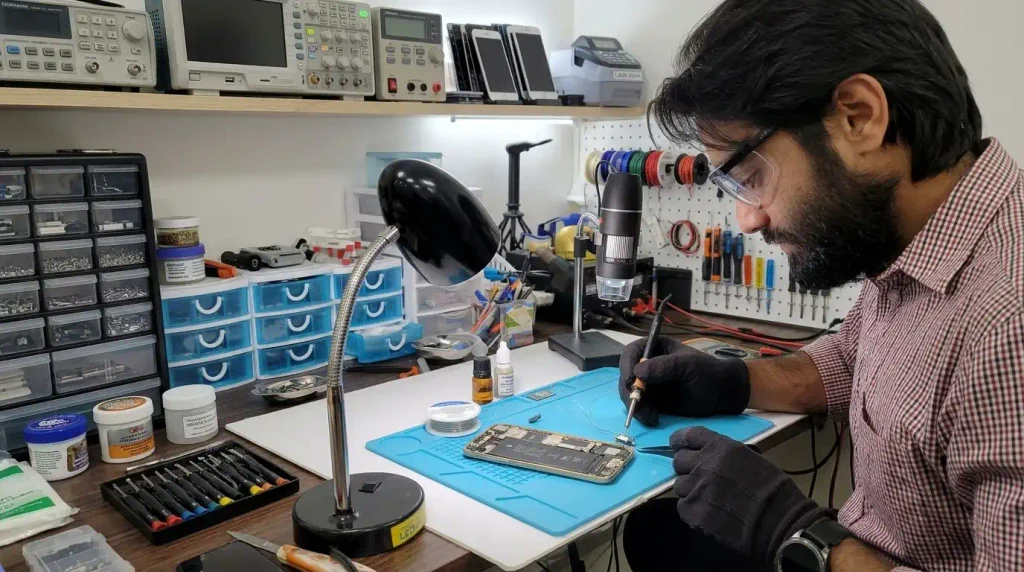
When basic troubleshooting does not solve a charging problem, finding the actual cause is important.
Computers Repair Plus offers phone and tablet repair services, including charging port repairs, battery replacement, and other supported hardware repairs.
The business serves customers in Bradenton, Lakewood Ranch, Sarasota, and nearby communities.
Location: 1829 Lakewood Ranch Blvd, Bradenton, FL 34211
Phone: (941) 567-6431
Customers can visit during store hours for device drop-off without an appointment.
If your phone is not charging, contact the team to discuss available repair options before replacing your device.
Frequently Asked Questions
Why is my phone not charging even though the charger works?
The problem may involve a dirty charging port, damaged connector, weak battery, software issue, or internal charging component. Testing another compatible cable and adapter can help narrow down the cause.
Can a dirty charging port stop my phone from charging?
Yes. Dust and debris can prevent the charger from connecting properly. If the port is blocked, careful professional cleaning may help restore the connection.
How do I know if my phone charging port is damaged?
Common signs include loose connections, intermittent charging, and charging only when the cable is positioned at a particular angle.
Is it worth repairing a phone that will not charge?
Repair may be worthwhile if the phone is otherwise in good condition and the charging issue is limited to a repairable component.
Where can I get phone charging port repair in Bradenton?
Computers Repair Plus provides phone and tablet repair services at 1829 Lakewood Ranch Blvd, Bradenton, FL 34211. Call (941) 567-6431 to discuss your device.