A spilled drink, unexpected splash, or liquid accident can turn a working MacBook into a serious problem within seconds. Many people immediately try to turn the device back on, connect the charger, or test whether it still works. Unfortunately, these actions can sometimes increase the damage.
When dealing with MacBook water damage repair, the first steps you take can make a significant difference. Liquid inside a MacBook can affect the battery, keyboard, charging system, storage, and internal components such as the logic board.
The important thing is not to panic or assume the computer is permanently damaged. A liquid damaged MacBook may have repair options depending on the type of liquid, how quickly action is taken, and which internal components were affected.
For customers in Bradenton, Lakewood Ranch, Sarasota, and surrounding areas, Computers Repair Plus helps customers understand computer problems and determine the appropriate repair approach based on the condition of the device.
If your MacBook has been exposed to liquid and you are unsure what to do next, contact Computers Repair Plus or call (941) 567-6431 for guidance on your repair options.
Turn Off Your MacBook Immediately After Liquid Exposure
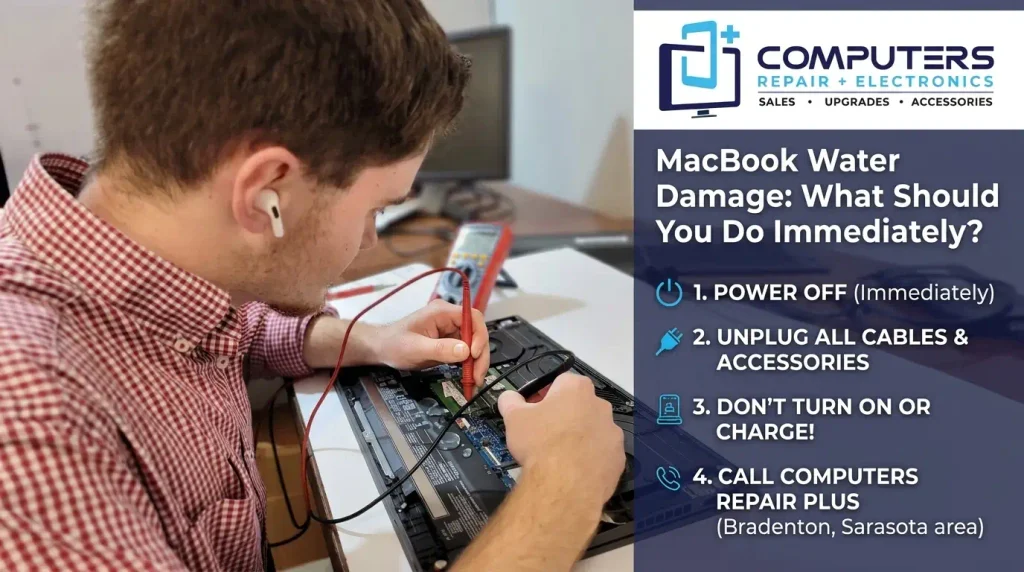
The first and most important step after a spill is to remove power from the device.
If your MacBook is still running:
- Shut it down normally if possible
- Disconnect the charger
- Remove any connected accessories
- Avoid pressing keys repeatedly
If the MacBook has already turned off, do not try turning it back on to “check” if it works.
The reason is simple: electricity and liquid do not mix well. Even a small amount of moisture can create electrical problems inside the device. Continuing to power the MacBook may cause additional damage to components that were not initially affected.
Remove External Liquid Carefully
After powering down the MacBook, gently remove visible liquid from the outside.
You can:
- Wipe the surface with a clean, dry cloth
- Turn the MacBook into a position that allows liquid to drain away
- Remove connected cables and accessories
Avoid shaking the MacBook aggressively. Moving liquid around inside the device can spread moisture to additional components.
Also avoid using high heat sources such as hair dryers. Excessive heat can damage sensitive internal parts and may push moisture deeper into the device.
What You Should NOT Do After MacBook Water Damage
Many common reactions after a spill can make the situation worse.
Do Not Keep Testing the Power
A common mistake is repeatedly pressing the power button to see if the MacBook starts. Each attempt can send power through components that may still have moisture present.
Do Not Connect the Charger
If liquid has entered the MacBook, connecting power can increase the chance of electrical damage.
This is especially important if the MacBook is already showing symptoms such as:
- No power response
- Unexpected shutdowns
- Charging problems
- Screen issues
Do Not Open the Device Without Experience
Modern MacBooks contain tightly integrated components and specialized hardware. Opening the device without the correct tools or knowledge may cause additional damage or make diagnosis more difficult.
Professional evaluation is usually the safest approach when liquid has reached internal components.
What Parts Can Be Damaged by Liquid?
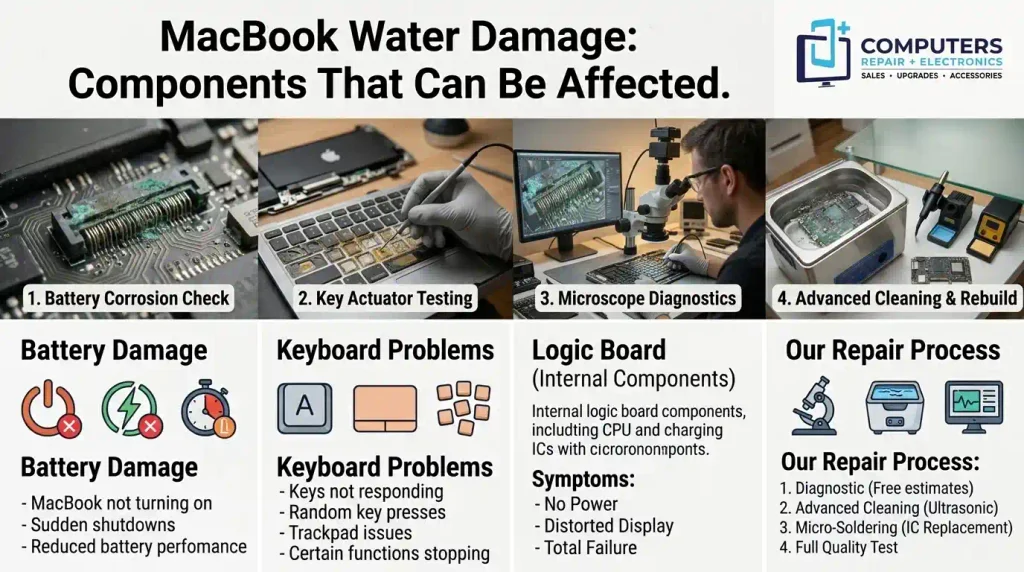
A MacBook contains many interconnected components, and liquid exposure does not affect every device in the same way.
Common areas affected include:
Battery Damage
Liquid exposure can affect battery connections and power management systems.
Possible symptoms include:
- MacBook not turning on
- Sudden shutdowns
- Battery not charging properly
- Reduced battery performance
In some situations, MacBook battery replacement may be needed if the battery has been damaged.
Keyboard and Trackpad Problems
Because the keyboard area is often where spills happen, these components are frequently affected.
Signs may include:
- Keys not responding
- Random key presses
- Trackpad issues
- Certain functions stopping
Depending on the model and damage level, keyboard-related repairs may involve replacing affected components.
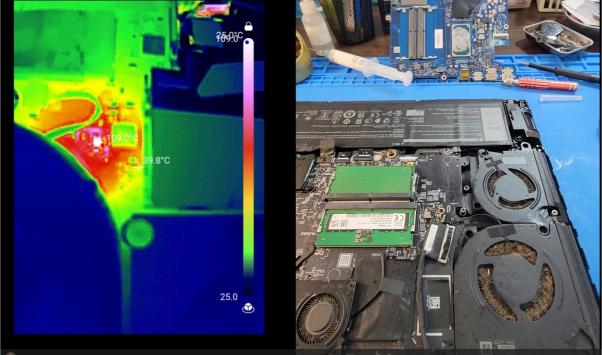
Logic Board Damage
The logic board is one of the most critical parts inside a MacBook. It controls communication between many hardware components, including power systems, memory, storage, and other internal functions.
Liquid exposure can cause corrosion or electrical damage on the board.
Possible signs of logic board damage include:
- MacBook does not power on
- Charging failure
- Random shutdowns
- Multiple hardware problems occurring together
Logic board repair may be an option depending on the specific damage. A proper inspection is needed before deciding whether repair is practical.
Why Fast Action Matters With Liquid Damage
Unlike some computer problems that develop slowly, liquid damage can continue affecting components after the original spill.
Moisture can lead to:
- Corrosion
- Electrical shorts
- Component failure
- Reduced repair options over time
This is why waiting several days to see if the MacBook “dries out” is not always the best approach.
A device may appear to work temporarily while hidden damage continues developing internally.
Can Data Be Recovered From a Water-Damaged MacBook?
One of the biggest concerns after liquid damage is losing important files.
Many users store valuable information on their MacBooks, including:
- Photos
- Business documents
- School files
- Creative projects
- Personal records
A MacBook that does not turn on does not always mean the data is gone.
Depending on the type of failure, MacBook data recovery may be possible. Recovery options depend on the condition of the storage system and the extent of the liquid damage.
This is another reason to avoid repeatedly attempting to start the device after a spill.
When Should You Seek Professional MacBook Repair?
Professional evaluation is recommended when:
- The MacBook will not turn on after liquid exposure
- The keyboard or trackpad is malfunctioning
- Charging stops working
- The device shuts down unexpectedly
- Important files are stored on the computer
Liquid damage can be difficult to evaluate without inspecting internal components. A computer may look fine externally while having damage inside.
For customers looking for Apple repair in Bradenton, understanding the cause of the problem is the first step toward making the right repair decision.
Repair or Replace a Liquid-Damaged MacBook?
A water-damaged MacBook is not automatically beyond repair.
The best option depends on:
- The age and condition of the MacBook
- The type of liquid involved
- Which components were affected
- The importance of the data
- The extent of internal damage
Some devices may only require specific component repairs, while others may not be practical to repair.
The goal should be making a decision based on the actual condition of the MacBook rather than assuming replacement is the only option.
Frequently Asked Questions
Can a MacBook recover after water damage?
Yes, some MacBooks can be repaired after liquid exposure. The outcome depends on how much liquid entered the device, which components were affected, and how quickly the issue is addressed.
Should I put my wet MacBook in rice?
Using rice is a common suggestion, but it is not a reliable repair method. Rice may not remove moisture from internal components and can leave particles inside ports. Professional evaluation is usually a better option.
How long should I wait before turning on my MacBook after a spill?
You should avoid turning the MacBook back on until it has been properly evaluated or you are confident the device is completely dry internally. Testing too soon can cause additional electrical damage.
Can liquid damage cause MacBook charging problems?
Yes. Liquid can affect charging components, battery connections, ports, or internal power systems, causing the MacBook to stop charging correctly.
Is logic board repair possible after MacBook water damage?
Sometimes. The possibility depends on the specific damage to the board and whether affected components can be repaired.
Can files be recovered from a liquid damaged MacBook?
In many situations, data recovery may be possible. The chances depend on the type of damage and the condition of the storage system.