Few things are more frustrating than pressing the power button on your laptop and getting no response. Whether you need your device for work, school, business, or personal use, a laptop that suddenly stops turning on can leave you wondering what went wrong.
If your laptop won’t turn on, the cause could be something simple like a drained battery, a faulty charger, or a connection issue. However, it can also indicate a more serious problem involving internal components such as the motherboard, power system, or storage device.
Understanding the possible causes can help you avoid unnecessary repairs and make better decisions about what to do next. At Computers Repair Plus, we help customers in Bradenton, Lakewood Ranch, Sarasota, and surrounding areas understand laptop problems and find practical solutions based on the actual issue.
Whether your laptop shows no signs of power, turns on but shows a black screen, or shuts down unexpectedly, identifying the symptoms is the first step toward solving the problem.
Need help diagnosing a laptop that will not power on? Contact Computers Repair Plus or call (941) 567-6431 to discuss your laptop issue and find out what steps may be needed.
First, Check These Basic Things Before Assuming the Worst
Before considering major repairs, start with a few simple checks. Many laptop power problems are caused by issues that can be resolved quickly.
Check the Power Adapter and Outlet
A faulty power source is one of the most common reasons a laptop appears completely dead.
Try these steps:
- Confirm the charger is connected securely to both the laptop and wall outlet
- Test a different electrical outlet
- Check whether any charging light appears
- Look for visible damage on the charger cable
If the charging indicator does not appear at all, the problem may involve the charger, charging port, battery, or internal power components.
Perform a Power Reset
Sometimes a laptop may not start because of a temporary hardware or power management issue.
You can try:
- Disconnect the charger
- Remove the battery if your laptop allows it
- Hold the power button for around 15–30 seconds
- Reconnect the charger and try powering it on again
This can clear certain temporary issues, but it will not fix damaged hardware.
Common Reasons Your Laptop Won’t Turn On
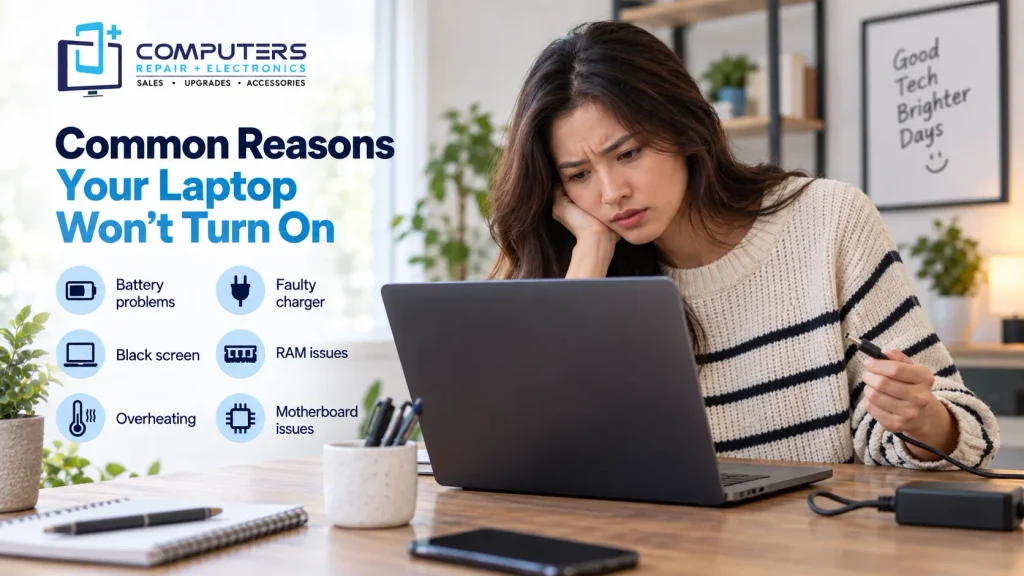
1. Battery Problems
A failing or completely discharged battery can prevent a laptop from starting. Laptop batteries naturally lose their ability to hold a charge over time.
Common battery-related signs include:
- Laptop works only when connected to the charger
- Battery percentage drops quickly
- Laptop shuts off suddenly
- Charging does not increase battery power
A battery replacement may solve the issue if the battery is no longer functioning properly.
2. Faulty Charger or Charging Port
Your laptop may not be receiving power even if the charger appears normal.
Possible causes include:
- Damaged charging cable
- Faulty power adapter
- Loose charging connection
- Damaged charging port
A damaged charging port can sometimes require professional inspection because the issue may involve internal connections rather than the external charger itself.
3. Laptop Turns On But Screen Stays Black
A laptop that powers on but displays nothing is a different problem from a laptop with no power.
Possible causes include:
- Display problems
- Memory issues
- Graphics-related problems
- Internal hardware failures
Pay attention to signs such as fan noise, keyboard lights, or startup sounds. These clues can help determine whether the laptop is receiving power but failing during startup.
4. RAM or Hardware Connection Issues
Internal components can sometimes become loose or fail, preventing normal startup.
Problems with memory (RAM) may cause:
- No display
- Startup failures
- Random shutdowns
- Repeated restart attempts
Because laptop components are compact and delicate, opening the device without proper knowledge can create additional damage.
5. Overheating Damage
Laptops rely on cooling systems to maintain safe operating temperatures. Dust buildup, blocked airflow, or cooling problems can cause overheating.
In some cases, a laptop may shut down to protect internal components and may not restart normally until the issue is addressed.
Regular maintenance and proper airflow can help reduce overheating-related problems.
6. Motherboard or Internal Power Problems
If basic troubleshooting does not solve the issue, the problem may involve the laptop’s motherboard or internal power system.
The motherboard controls communication between many important components, including the processor, memory, and power circuits.
Signs of possible motherboard problems include:
- No response when pressing the power button
- No charging lights
- Burning smell or visible damage
- Sudden failure after a power event
For these situations, professional laptop motherboard repair may be required to determine whether the device can be repaired.
What You Should Avoid When Your Laptop Has No Power
When a laptop suddenly stops working, it is understandable to try quick fixes. However, some actions can make the situation worse.
Avoid:
- Repeatedly forcing the power button
- Using an incorrect charger
- Opening the laptop without proper tools
- Installing random repair software
- Continuing to use a device that shows signs of hardware damage
If your laptop contains important files, avoiding unnecessary attempts can help protect your data.
When Should You Consider Professional Laptop Repair?
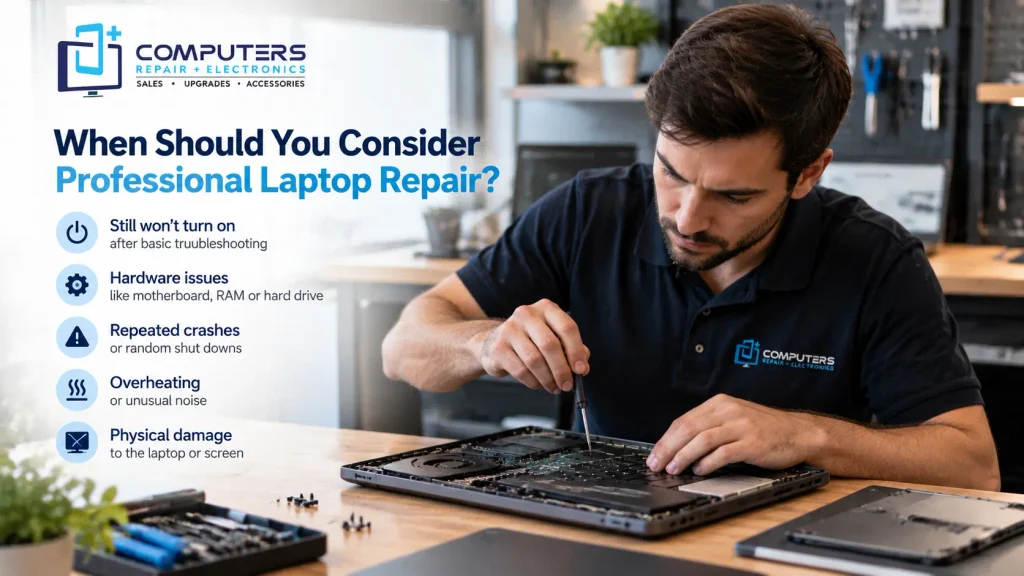
If basic troubleshooting does not restore power, professional diagnosis can help identify the actual cause.
A technician can check:
- Power delivery components
- Battery health
- Charging system
- Internal connections
- Storage and hardware condition
For customers looking for laptop repair in Bradenton, a proper diagnosis can help determine whether the issue requires a simple repair, component replacement, or a different solution.
Computers Repair Plus also helps customers evaluate repair options through services such as Computer Repair & Upgrades, depending on the device issue and condition.
Should You Repair Your Laptop or Replace It?
Not every laptop failure means you need a new computer. The right decision depends on factors such as:
- The age of the laptop
- The cost of the repair
- The type of hardware failure
- Whether the laptop still meets your needs
Repair may make sense when a replaceable component has failed. However, if a laptop is outdated or requires extensive repairs, replacement may be worth considering.
For customers who need a new device, New Computer Sales can help them choose a computer based on their actual requirements rather than unnecessary features.
Protect Your Data Before a Major Repair
A laptop that will not turn on may still contain important files, photos, documents, or business data.
Before attempting major repairs, consider whether you need:
- Data backup assistance
- File recovery
- Storage evaluation
If the laptop has important information that is not backed up, professional Data Recovery & Backup assistance may help protect valuable files.
Frequently Asked Questions
Why is my laptop not turning on even when it is plugged in?
A laptop may not turn on while plugged in because of a faulty charger, damaged charging port, failed battery, or internal hardware issue. Checking the charger and power connection is a good first step.
How do I know if my laptop has a power problem?
Signs of a power problem include no charging light, no fan noise, no keyboard lights, and no response when pressing the power button. A technician can test the power system to identify the exact cause.
Can a dead laptop battery prevent the computer from turning on?
Yes. A failed or completely discharged battery can prevent a laptop from starting, especially if the charger or charging system is also not working correctly.
Is a laptop motherboard problem worth repairing?
It depends on the laptop’s age, condition, and the specific motherboard issue. A professional diagnosis can help determine whether repair is practical.
Can I fix a laptop that has no power myself?
Some simple issues, such as a loose charger connection or drained battery, may be resolved at home. However, internal hardware problems usually require professional tools and experience.
How long does laptop diagnosis take?
The time required depends on the cause of the problem. Simple power issues may be identified quickly, while hardware-related problems may require more detailed testing.