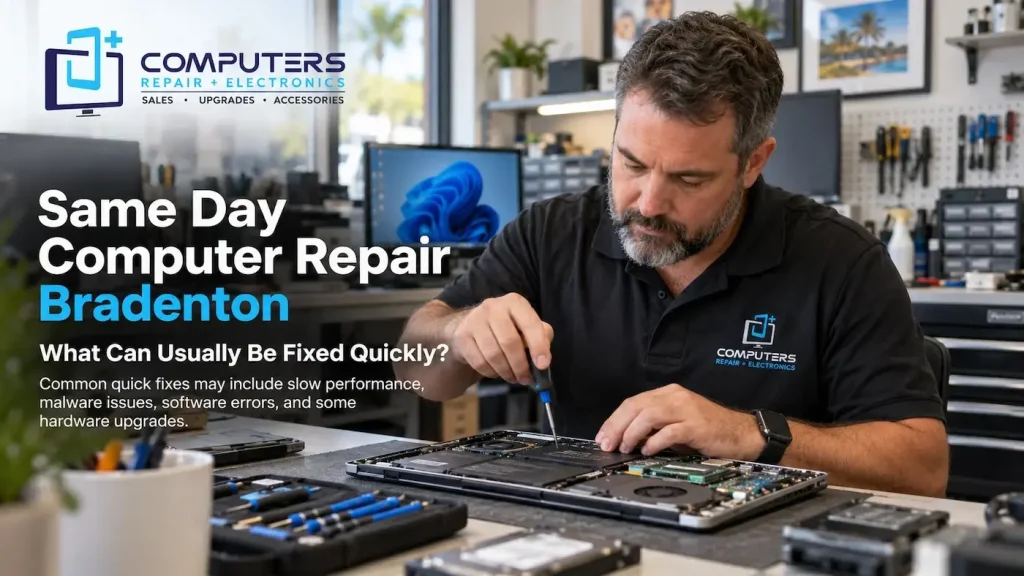
When your computer suddenly stops working, waiting days for a solution can be frustrating. Whether you need your device for work, school, business, or personal tasks, a quick repair can help you get back to your normal routine.
However, not every computer problem can be fixed immediately. Some issues are simple software problems, while others require detailed testing, replacement parts, or data recovery procedures.
Understanding which problems are commonly resolved quickly can help you set realistic expectations when looking for same day computer repair Bradenton. Computers Repair Plus helps customers in Bradenton, Lakewood Ranch, Sarasota, and surrounding areas understand their computer issues and choose the right repair or upgrade options based on their needs.
Need help with a computer problem that is affecting your daily tasks? Contact Computers Repair Plus or call (941) 567-6431 to discuss your issue and learn what repair options may be available.
What Determines How Fast a Computer Repair Can Be Completed?
The repair time depends on several factors, including the type of problem, the condition of the device, and whether replacement parts are required.
A technician usually needs to determine:
- What caused the problem
- Whether the issue is software or hardware related
- If replacement components are needed
- Whether important data needs to be protected first
Some repairs involve simple troubleshooting, while others require deeper testing.
Computer Problems That Can Often Be Fixed Quickly
Many common computer issues can be diagnosed and resolved faster because they involve software settings, maintenance, or easily accessible components.
1. Slow Computer Performance
A computer that suddenly becomes slow is one of the most common reasons customers seek repair.
Performance issues may happen because of:
- Too many startup programs
- Limited storage space
- Unnecessary background processes
- Software conflicts
- Malware
A technician can evaluate the system and determine whether it needs cleanup, optimization, upgrades, or security-related assistance.
For some customers, professional Computer Repair & Upgrades can improve performance without replacing the entire device.
2. Virus and Malware Issues
Security problems can affect computer speed, performance, and reliability. Some malware runs in the background, consumes system resources, or changes normal computer behavior.
Common signs include:
- Unexpected pop-ups
- Slow performance
- Unknown programs
- Browser changes
- Frequent errors
Professional Virus & Malware Protection and Removal can help identify security issues and remove unwanted programs.
The time required depends on the severity of the infection and whether additional repairs are needed.
3. Software Errors and Windows Problems
Many computer issues are caused by software rather than hardware.
Examples include:
- Programs not opening correctly
- System errors
- Update problems
- Driver conflicts
- Startup issues
Software troubleshooting is often faster than hardware repairs because it may not require replacement parts.
However, proper diagnosis is still important because similar symptoms can have different causes.
4. Computer Tune-Ups and Maintenance
Over time, computers collect unnecessary files, outdated applications, and settings that can affect performance.
A maintenance check may include:
- Reviewing installed programs
- Improving startup performance
- Checking system health
- Removing unnecessary software
Regular maintenance can help extend the usefulness of a computer and prevent avoidable problems.
5. Some Hardware Upgrades
Certain hardware improvements can sometimes be completed quickly, depending on the device.
Examples include:
- Adding compatible memory
- Replacing storage drives
- Installing certain replacement components
However, the availability of parts and computer compatibility can affect completion time.
A professional evaluation helps determine whether an upgrade is practical.
Problems That May Require More Time
While many issues can be addressed quickly, some computer repairs require additional testing or specialized solutions.
1. Hardware Failure
Hardware problems may involve components such as:
- Motherboard
- Storage drive
- Power system
- Memory
- Cooling components
These repairs often require more detailed diagnosis because replacing the wrong component may not solve the problem.
2. Data Recovery Situations
If a computer stops working and important files are not backed up, the priority may become protecting and recovering data.
Data recovery depends on:
- The condition of the storage device
- The type of failure
- Whether the files are accessible
Professional Data Recovery & Backup assistance can help evaluate recovery options before additional repair attempts are made.
3. Laptop Hardware Repairs
Laptops are compact devices with tightly integrated components. Problems involving screens, charging systems, keyboards, batteries, or internal connections may require more time.
Customers searching for laptop repair Bradenton should consider choosing a provider that can properly diagnose the issue instead of replacing parts without understanding the cause.
What Should You Do Before Bringing Your Computer for Repair?

Taking a few steps before your appointment can make the process smoother.
Back Up Important Files
If your computer still works, back up important documents, photos, and other valuable information.
Write Down the Problem
Note details such as:
- When the issue started
- Error messages you see
- What actions cause the problem
- Any recent changes
This information can help with diagnosis.
Avoid Random Fixes From the Internet
Trying multiple unknown solutions can sometimes make troubleshooting more difficult.
Avoid:
- Installing unknown repair programs
- Changing important system settings
- Deleting files you do not recognize
How Professional Computer Diagnostics Help
Searching for computer repair near me is only the beginning. The most important step is finding a provider that focuses on accurate diagnosis.
Professional computer diagnostics help determine whether the issue is:
- Software-related
- Hardware-related
- Security-related
- Caused by outdated equipment
A proper diagnosis helps avoid unnecessary repairs and gives you a clearer understanding of your options.
Should You Repair Your Computer or Replace It?
Fast repairs are not always the best solution if the computer no longer meets your needs.
Repair may make sense when:
- The issue is caused by a replaceable component
- The computer is still suitable for your daily tasks
- An upgrade can improve performance
Replacement may be worth considering when:
- The device is outdated
- Multiple components are failing
- Repair costs become impractical
For customers who need a new system, New Computer Sales can help identify options based on actual usage requirements.
For specialized performance needs, a Custom Built PC may also be a suitable choice.
Other Technology Services You May Need
Computer problems do not always involve only desktop or laptop systems. Many customers also need assistance with other devices.
For example, Phone & Tablet Repair can help when mobile devices experience hardware or performance problems.
Choosing a repair provider that understands different types of technology can make future support easier.
Frequently Asked Questions
Can a computer be repaired the same day?
Some computer problems can be diagnosed and repaired the same day, especially software issues, maintenance problems, and certain upgrades. More complex hardware repairs may require additional time.
How long does computer diagnosis usually take?
The time depends on the problem. Simple issues may be identified quickly, while hardware failures or complex software problems may require more testing.
What computer problems are usually fixed quickly?
Common quick repairs include software errors, malware removal, performance optimization, and some hardware upgrades when compatible parts are available.
Is same day computer repair more expensive?
Repair cost depends on the type of problem and required solution, not only how quickly the repair is completed. A proper diagnosis helps determine the actual repair needs.
Should I repair my old computer or buy a new one?
The best option depends on the computer’s condition, age, and your requirements. Some older computers can benefit from upgrades, while others may be better replaced.
Can a computer technician fix my laptop the same day?
Some laptop issues can be resolved quickly, but repairs involving screens, motherboards, or internal hardware may require more time depending on the problem.