A cracked or damaged laptop screen can quickly turn a useful device into a frustrating problem. Whether the screen was damaged by an accidental drop, pressure in a bag, or sudden display failure, many people immediately wonder: Should I repair the screen or replace the laptop?
The right choice depends on several factors, including the type of damage, the age of the laptop, repair costs, and whether the rest of the device is still working properly.
A damaged display does not always mean you need a new computer. In many cases, a professional inspection can determine whether a screen repair is practical or whether replacement is the better long-term decision. Computers Repair Plus helps customers in Bradenton, Lakewood Ranch, Sarasota, and surrounding areas understand laptop problems and choose solutions based on their device condition and needs.
Need help deciding whether your laptop screen needs repair or replacement? Contact Computers Repair Plus or call (941) 567-6431 to discuss your laptop issue and explore your options.
Common Laptop Screen Problems That Require Attention
Laptop displays can fail for different reasons. Some issues are caused by physical damage, while others may involve internal components.
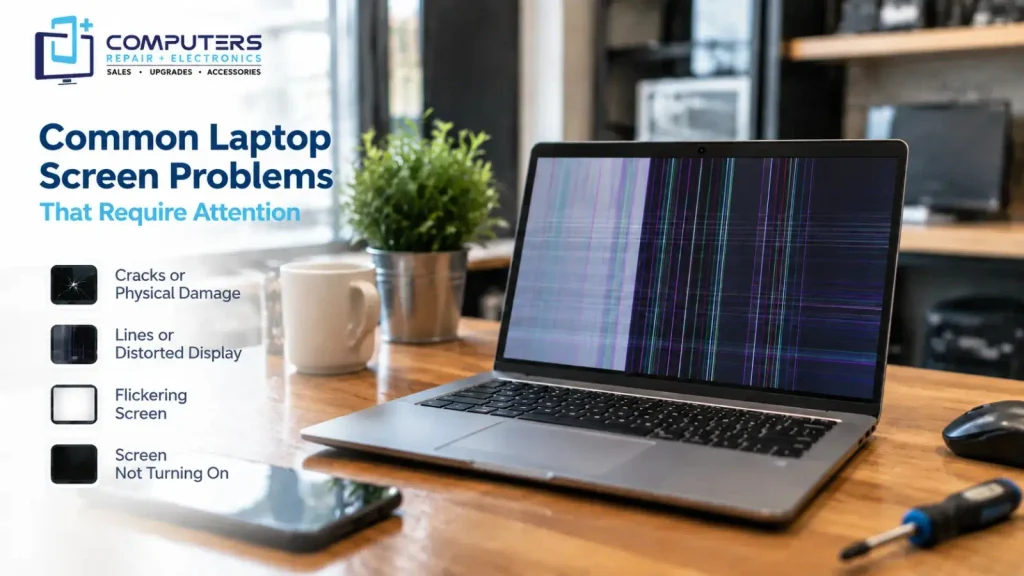
Common screen problems include:
- Cracked or shattered display panels
- Flickering screens
- Black or blank displays
- Lines appearing across the screen
- Dim or distorted images
- Touchscreen problems
- Display not turning on
Understanding the cause of the problem is important because not every display issue requires the same solution.
When Does Laptop Screen Repair Make Sense?
In many cases, repairing a laptop screen is a practical option, especially when the rest of the device is still functioning properly.
Physical Screen Damage
A cracked laptop screen is one of the most common reasons people seek repair. If the display panel is broken but the laptop still powers on and works normally, replacing the damaged screen may restore full functionality.
Signs that screen replacement may be needed include:
- Visible cracks
- Black spots on the display
- Missing sections of the image
- Touchscreen damage
Display Problems With Otherwise Healthy Hardware
Sometimes the laptop itself works correctly, but the display has issues. If the motherboard, storage, and other components are functioning properly, repairing the screen may be more affordable than replacing the entire computer.
A professional laptop display repair evaluation can help determine whether the screen itself is the problem or whether another component is involved.
When Should You Consider Replacing the Laptop Instead?
Although screen repair can be a good solution, there are situations where replacing the laptop may make more sense.
Consider replacement when:
- The laptop is very old
- Multiple components are failing
- Repair costs are close to the price of a new device
- The laptop no longer meets your performance needs
For example, replacing a screen on an older laptop may fix the display problem but leave you with outdated hardware that struggles with modern software.
In these situations, New Computer Sales can help you explore newer systems that better match your daily requirements.
What Factors Affect Screen Replacement Cost?
Many customers searching for laptop repair near me want to know how much a screen repair will cost. The answer depends on several factors.
Laptop Model
Different laptops use different screen sizes, resolutions, and panel types. Premium laptops, touchscreen models, and newer devices may require specialized replacement parts.
Type of Damage
A simple display panel replacement is different from repairing damage involving:
- Hinges
- Internal cables
- Graphics components
- Motherboard connections
A proper diagnosis helps identify what actually needs to be repaired.
Availability of Replacement Parts
Some laptop models have replacement screens that are easier to source than others. Part availability can affect both repair options and turnaround time.
Why Professional Diagnosis Matters Before Repair
A laptop screen problem may not always be caused by the screen itself.
For example, a laptop showing no image could be caused by:
- Display cable issues
- Graphics problems
- Power-related failures
- Internal hardware damage
Replacing a screen without confirming the cause may not solve the problem.
Professional Computer Repair & Upgrades services can help identify whether the issue is related to the display, internal hardware, or another component.
What Should You Do Before Bringing Your Laptop for Repair?
Before seeking laptop screen repair Bradenton, consider taking a few steps to protect your device and information.
Back Up Important Files
If your laptop still works, create a backup of important documents, photos, and personal files.
Screen damage does not always affect data, but other hardware problems can sometimes appear alongside physical damage.
Avoid Using a Damaged Screen Too Much
A cracked display may continue working temporarily, but pressure or additional damage can make the problem worse.
Avoid:
- Pressing on cracked areas
- Carrying the laptop without protection
- Attempting to open the screen yourself
Note the Symptoms
Before repair, pay attention to:
- When the problem started
- Whether the laptop was dropped
- Whether the display flickers
- Whether external monitors work
These details can help with diagnosis.
Can You Repair a Laptop Screen Yourself?
Some people consider DIY screen replacement to save money. While replacement parts may be available online, laptop screens are delicate components.
DIY repairs can create additional problems if:
- Cables are damaged
- The wrong screen model is installed
- Internal components are affected
- The display frame is damaged
Professional repair helps reduce the risk of causing further damage.
Other Laptop Issues That May Need Attention
Sometimes a damaged screen is only one part of a larger computer problem. A laptop may also require help with:
- Performance issues
- Hardware upgrades
- Software problems
- Security concerns
- Data protection
For example, Virus & Malware Protection and Removal may be needed if performance issues are caused by unwanted software.
If important files are at risk due to hardware problems, Data Recovery & Backup support can help evaluate available options.
Should You Repair Your Laptop or Buy a New One?
The best choice depends on your specific situation.
Repair may make sense when:
- The laptop is relatively new
- The screen is the only major problem
- Other hardware works properly
- Repair costs are reasonable
Replacement may be better when:
- The laptop is outdated
- It has multiple problems
- It cannot support your current needs
For users who need a powerful system designed around specific requirements, a Custom Built PC may also be worth considering.
Frequently Asked Questions
Can a cracked laptop screen be repaired?
In most cases, a cracked laptop screen requires replacing the damaged display panel rather than repairing the glass itself. A technician can determine the correct solution based on the damage.
How much does laptop screen replacement cost?
The cost depends on the laptop model, screen type, availability of parts, and the complexity of the repair. A diagnosis is usually needed before determining the exact repair requirements.
Is it worth replacing a laptop screen?
Replacing a screen can be worthwhile if the laptop is otherwise in good condition and meets your needs. Older laptops with multiple issues may be better replaced.
How long does laptop screen repair usually take?
Repair time depends on the laptop model, availability of replacement parts, and the type of damage. Some repairs may be completed quickly, while others require additional time.
Can a laptop work with a broken screen?
Sometimes a laptop can still operate with a damaged screen, especially if other components are working. However, continuing to use a severely damaged display may lead to additional problems.
Should I repair my laptop or buy a new one?
Consider the laptop’s age, overall condition, repair cost, and your performance needs. A professional evaluation can help you make a more informed decision.