When a computer stops working properly, many people immediately assume they need a replacement part or a new device. However, the first step in solving most computer problems is understanding what is actually causing the issue.
A proper computer diagnostic Bradenton process helps identify the source of problems such as slow performance, unexpected crashes, overheating, startup failures, hardware issues, or software errors. Instead of guessing and replacing parts unnecessarily, a diagnostic evaluation provides a clearer picture of what your computer needs.
For customers in Bradenton, Lakewood Ranch, Sarasota, and surrounding areas, Computers Repair Plus helps identify computer issues and explains possible solutions before moving forward with repairs. A good diagnosis helps you understand your options and make a more informed decision about repairing, upgrading, or replacing your device.
Before spending money on repairs, it is important to know what is wrong with your computer and why the problem is happening.
Why a Computer Diagnostic Is Important Before Repair
Many computer problems can have similar symptoms but completely different causes.
For example, a slow computer may be caused by:
- Too many background programs
- A failing storage drive
- Low memory availability
- Malware or unwanted software
- Operating system problems
- Hardware limitations
Replacing a part without identifying the real cause may not solve the problem. A diagnostic process allows a technician to examine the computer properly and determine which components or systems may be responsible.
A professional computer repair diagnosis focuses on finding the root cause instead of only treating the visible symptom.
What Happens During a Computer Diagnostic Process?
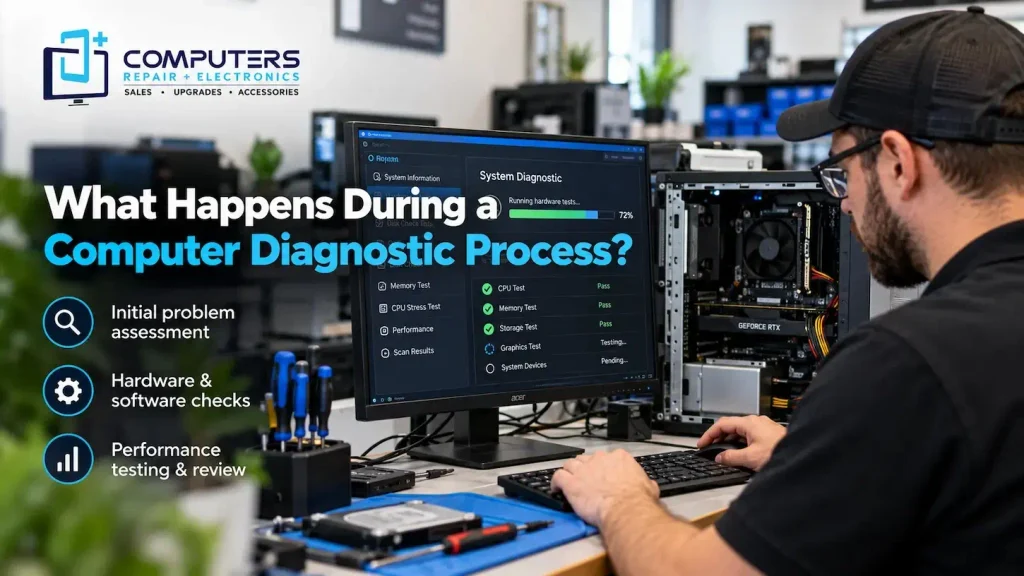
A computer diagnostic usually involves several steps to understand the condition of the device. The exact process depends on the problem, but technicians typically evaluate both hardware and software.
Initial Conversation and Problem Assessment
The first step is understanding what the customer is experiencing.
A technician may ask questions such as:
- When did the problem start?
- Does the issue happen every time or occasionally?
- Did anything change before the problem appeared?
- Are there error messages?
- Is the computer making unusual sounds?
These details are important because user observations often provide valuable clues about the source of the problem.
For example, a laptop that suddenly shuts down may have a battery issue, overheating problem, or hardware failure. The symptoms help guide the diagnostic process.
Hardware Inspection and Testing
The next step is checking the physical components of the computer.
Hardware testing may include examining:
- Storage drives
- Memory (RAM)
- Cooling systems
- Power components
- Battery condition
- Internal connections
- Other important components
A technician may look for signs of wear, damage, overheating, or failing hardware.
This step is especially important for problems involving a laptop diagnostic, because laptops contain tightly integrated components where one failing part can affect the entire system.
Software and Operating System Checks
Not every computer problem comes from hardware. Many issues are related to software.
During diagnostics, technicians may check for:
- System errors
- Driver problems
- Startup issues
- Unnecessary background programs
- Security threats
- Operating system problems
A computer that freezes, runs slowly, or crashes frequently may not need a hardware replacement. The issue could be caused by software conflicts or system configuration problems.
For security-related concerns, professional Virus & Malware Protection and Removal can help identify unwanted programs that may affect computer performance and stability.
Performance Testing and Troubleshooting
After checking individual components, technicians evaluate how the computer performs.
This may include reviewing:
- Startup speed
- Program response time
- System resource usage
- Temperature levels
- Overall stability
Performance testing helps determine whether the issue is caused by a specific component or a combination of factors.
For example, an older computer may be slow because of outdated hardware, but a storage upgrade could improve performance significantly. A proper diagnosis helps identify whether an upgrade is practical.
Reviewing Repair Options and Estimates
After the diagnostic process, the next step is understanding available solutions.
A professional repair recommendation should explain:
- What caused the problem
- Which repairs may be needed
- Whether replacement parts are required
- Whether upgrading makes sense
- Expected repair considerations
A repair estimate should help customers make an informed decision rather than pressure them into unnecessary work.
At Computers Repair Plus, understanding the problem comes before recommending a solution. The goal is to help customers know what their computer needs and why.
Common Problems That Require Computer Diagnostics
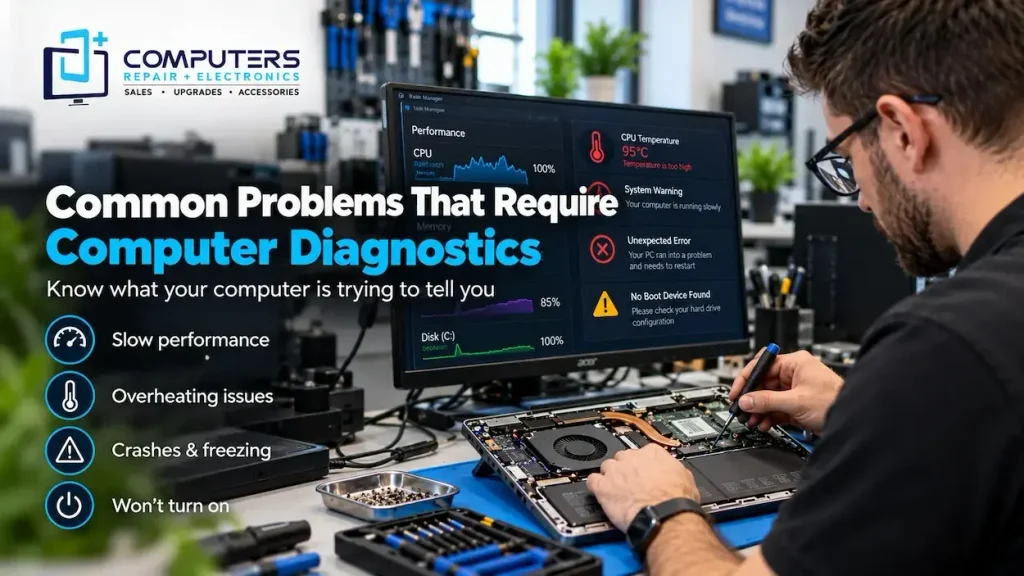
Some issues are difficult to diagnose without proper testing.
Slow Computer Performance
A slow PC may involve storage issues, insufficient memory, software problems, or other causes. A diagnostic can identify what is limiting performance.
Computer Overheating
Overheating may result from blocked airflow, cooling issues, dust buildup, or hardware problems. Testing helps determine the actual cause.
Computer Not Turning On
A computer that does not power on could have problems with the power supply, battery, charging system, motherboard, or another component.
Frequent Crashes or Freezing
Repeated crashes may indicate software conflicts, hardware failure, or system problems that require deeper troubleshooting.
Data Access Problems
When a computer begins showing signs of storage failure, identifying the issue quickly can help protect important files. Professional Data Recovery & Backup solutions may be needed depending on the condition of the device.
Why Guessing the Problem Can Cost More
Many people try replacing parts based on online advice. While basic troubleshooting can sometimes help, guessing can lead to unnecessary expenses.
For example:
- Replacing a battery when the charging system is the actual issue
- Upgrading memory when the storage drive is failing
- Reinstalling software when there is a hardware problem
A diagnostic approach reduces guesswork and helps identify the most appropriate solution.
Repair, Upgrade, or Replace: Making the Right Decision
A diagnostic does more than identify a problem. It helps determine what makes the most sense financially and practically.
Repair or upgrading may be suitable when:
- The computer still meets your needs
- The issue is limited to a specific component
- Performance can be improved through upgrades
Replacement may be considered when:
- Multiple major components are failing
- The device no longer supports your requirements
- Repairs are unlikely to provide long-term value
Computers Repair Plus also provides New Computer Sales for customers who need a different solution after evaluating their current device.
What You Should Do Before Bringing Your Computer for Diagnosis
Before taking your computer for service, consider these steps:
- Back up important files if possible
- Write down error messages
- Note when the problem occurs
- Bring necessary chargers or accessories
- Avoid repeatedly forcing shutdowns
Providing accurate information helps technicians understand the problem faster.
A computer diagnostic is an important first step before any repair because it identifies the real cause of the problem. Whether your device is slow, overheating, crashing, or experiencing hardware issues, understanding the cause helps you make a better repair decision.
For customers looking for computer diagnostic Bradenton services, Computers Repair Plus helps evaluate computer problems and explain practical options for repair, upgrades, or replacement. A proper diagnosis can save time, reduce unnecessary expenses, and help protect your important files.
Frequently Asked Questions
What is a computer diagnostic?
A computer diagnostic is a process used to identify hardware, software, and performance issues affecting a computer. It helps determine the cause of a problem before repairs are recommended.
How long does a computer diagnostic take?
The time required depends on the type of issue and the condition of the computer. Simple problems may be identified quickly, while complex hardware or software issues may require more testing.
Why can’t a technician repair my computer without diagnosing it first?
Many computer problems have similar symptoms but different causes. A diagnostic helps avoid unnecessary repairs and ensures the correct solution is recommended.
What problems can a computer diagnostic identify?
Diagnostics can help identify issues related to slow performance, overheating, crashes, startup problems, hardware failures, software conflicts, and security issues.
Is a computer diagnostic worth it before repair?
Yes. A diagnostic can help you understand the actual problem and make an informed decision about whether repair, upgrading, or replacement is the right option.
Can a diagnostic tell me if I need a new computer?
A diagnostic can help evaluate your computer’s condition and determine whether repairing, upgrading, or replacing the device may be the most practical choice.